Your First Build
You're going to build something real today. Not a tutorial exercise. Not a "Hello World." An actual thing on the internet that you can share with people.
We'll start with zero-install tools (nothing to download), then graduate to the full setup.
Path 1: Zero install (browser only)
If you don't want to install anything yet, start here.
Option A: v0 by Vercel
- Go to v0.dev
- Type what you want: "A landing page for a dog walking business called Happy Tails with a booking form"
- Watch it generate a full React component
- Click "Deploy" to put it on the internet
That's it. You just built a website.
Option B: Claude.ai Artifacts
- Go to claude.ai
- Say: "Build me a simple personal website with my name, a bio section, and links to my social media. Make it look clean and modern."
- Claude will create it as an Artifact — a live preview right in the chat
- Iterate: "Make the colors warmer" or "Add a dark mode toggle"
Artifacts are great for prototyping and learning. The limitation: you'll need to copy the code somewhere to deploy it.
Option C: Replit
- Go to replit.com and sign up
- Create a new project and use the AI assistant
- Describe what you want
- It builds inside a full IDE — you can deploy directly from Replit
~Which to choose?
v0 for the fastest path from idea to deployed website. Claude.ai Artifacts for learning through conversation. Replit if you want to see the code and understand what's happening.
Path 2: Claude Code (the full setup)
This is the setup you'll use for the rest of the curriculum. It takes about 10 minutes once.
Step 1: Install Claude Code
Open your terminal (on macOS: search for "Terminal" in Spotlight) and run:
npm install -g @anthropic-ai/claude-code
If you don't have npm, install Node.js first from nodejs.org.
Step 2: Open a project folder
mkdir my-first-project
cd my-first-project
claude
That last command starts Claude Code. You're now in a conversation with an AI that can create files, run commands, and build things.
What you can build — these all started as vibe coding projects
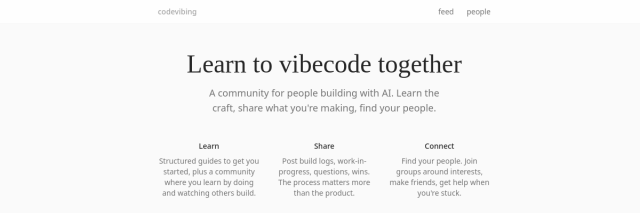
CodeVibing
A community platform for AI builders. Started as a simple gallery idea, grew into a place where vibe coders share what they're making.

Learn Vibe Coding
This curriculum site you're reading right now. Built entirely through conversation with Claude Code.
Step 3: Build something
Type your first prompt:
Build me a personal website. My name is [your name].
I want it clean and minimal with a short bio and links.
Watch Claude create the files, install dependencies, and set everything up.
Step 4: Deploy to Vercel
Still in Claude Code, type:
Deploy this to Vercel
Claude will handle the rest. If this is your first time, it'll ask you to log into Vercel (free account).
Step 5: Iterate
Your site is live. Now make it yours:
Make the font bigger
Add a section for my projects
The colors are too cold, warm them up
Add dark mode
Each prompt makes changes. Each change deploys. This is the vibe coding loop.
Build Session
Pick either Path 1 or Path 2 and build something. Anything. A personal site, a landing page for a fake business, a birthday card. Experience the loop: describe, see, refine, share.
~20 min
What just happened? (Plain language)
When Claude built your website, it created a few things:
- HTML — the content and structure (headings, paragraphs, links)
- CSS (via Tailwind) — the visual styling (colors, spacing, fonts)
- JavaScript/React — the interactive behavior (dark mode toggles, animations)
- Next.js — a framework that bundles everything into a fast website
- Vercel — a hosting service that puts your site on the internet
You don't need to understand any of these deeply right now. But it helps to know the layers exist, so when Claude mentions them, you have a rough mental map.
Think of it like driving a car: you don't need to understand combustion engines, but knowing that "gas makes it go" and "brakes make it stop" helps you drive better.
Common first-timer issues
"Permission denied" or approval prompts Claude Code runs in a sandbox for safety. When it asks to run a command, say yes. You can also configure it to auto-approve common commands later.
"I don't have Vercel / npm / node installed" Follow the installation steps above, or stick with Path 1 (browser-only) for now.
"It made something ugly" That's normal. The first version is a starting point. Use vibe words to refine: "cleaner", "more breathing room", "less corporate", "warmer colors".
"It made something completely different from what I wanted" Be more specific about what you do want, not what you don't want. Show examples: "Something like [this website]" works great.
Read the Source
Disconnect exercise
Open your deployed site in a browser. Right-click and choose 'View Page Source' (or press Ctrl+U / Cmd+Option+U). Find the <h1> tag with your name or site title. Without AI, try changing just that text by editing the source file directly. One HTML element, one small change.
Saved locally in your browser.